= vs == vs === Explained: JavaScript, TypeScript, Python & Java
 Sayan Dey•6 min read•23rd Jul, 2026programming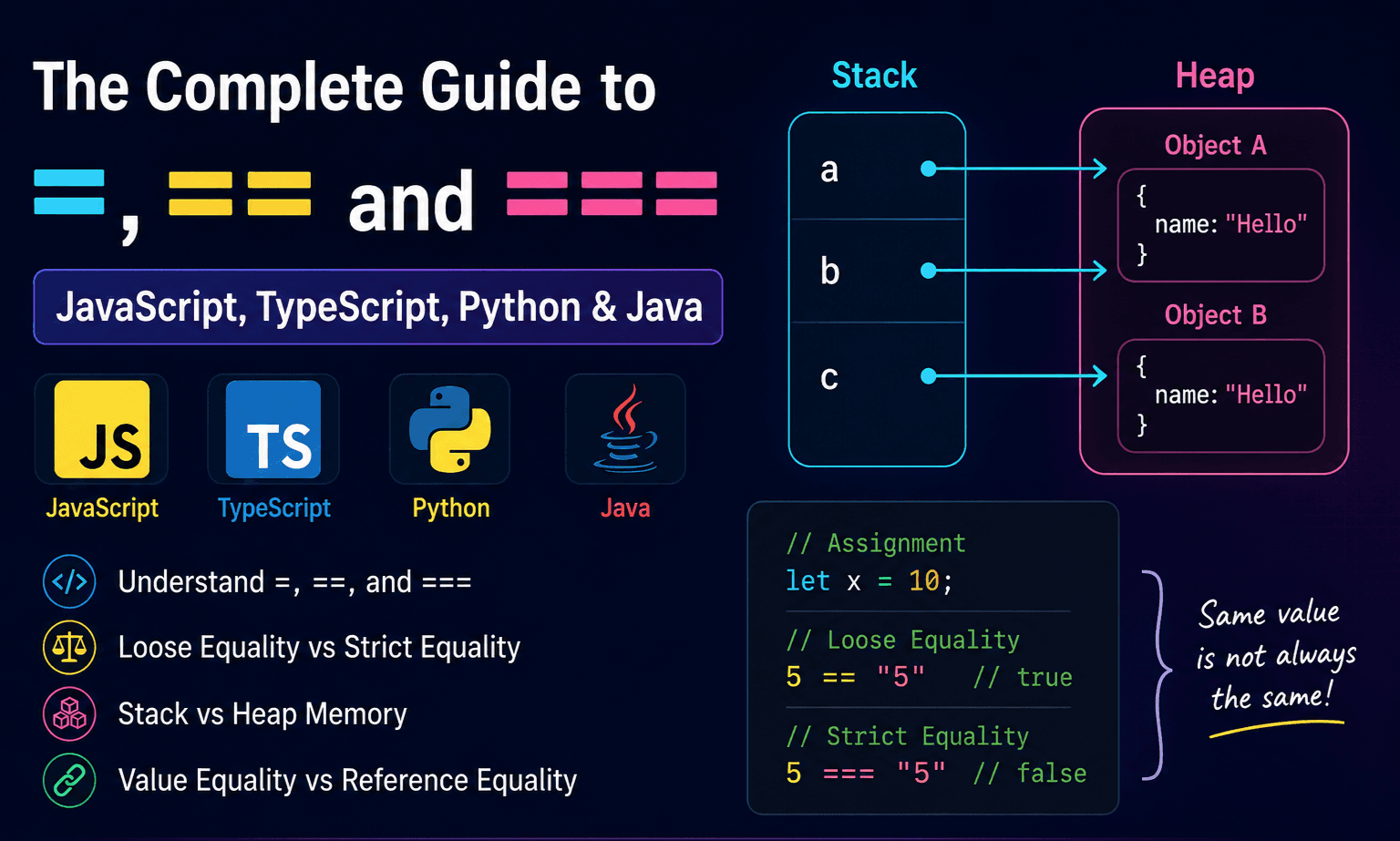
Learn the difference between =, ==, and ===, understand type coercion, reference equality, and see how variables are stored in stack and heap memory with simple diagrams.
Have you ever written == instead of === and wondered why your code behaved differently? Or accidentally used = inside an if statement and spent time debugging it? Understanding these three operators is one of the first steps toward writing predictable code. In this guide, we'll explore =, ==, and ===, along with stack vs. heap memory, type coercion, and reference equality across JavaScript, TypeScript, Python, and Java.
Memory (Stack and Heap)
There are 2 types of memory mainly used.
- stack
- heap
Most modern language runtimes internally use stack and heap memory. Although the exact implementation differs by language and runtime, primitives are typically stored more efficiently, while objects are allocated on the heap and variables hold references to them.
In Java:
- primitives datatypes(integer , float , boolean, etc.) all are strored into stack memory to achieve faster execution.
- and non-primitive datatypes(objects) are stored into heap memory .The variable is in the stack but it points the value in the heap memory.
*Speed of the stack memory is much more than heap memory . For this reason the primitives are in the stack memory to achieve better speed.
1. Assignment Operator =
The = symbol is used for assignment operations , not for comparison .
We used it to assign a value to a variable.
Examples:
Javascript:
let x = 10;
Here , variable is x and value is 10
in the memory , variable x is pointing to value 10:
x -------> 10
Typescript:
const name = "sayan";
in typescript , it is exactly the same as JS.
Python:
x = 25
Java:
int age = 20;
C++:
int age = 20;
2. Equality operator ==
This checks whether two values are equal. But the important question is:
Does it compare only the value, or also the type?
The answer depends on the language.
Before going into this we need to understand some basics:
Important concepts:
Type Coercion
Type coercion is the automatic conversion of one data type into another by the programming language so that an operation can be performed.
In JavaScript, this commonly happens when values of different types are compared or used together.
Example:
5 == "5" // true
JavaScript automatically converts "5" (string) to 5 (number) before comparing them.
This is called implicit type coercion.
You can also perform explicit type conversion yourself:
Number("5") === 5   // true
String(100)         // "100"
Boolean(1)          // true
Explicit conversion is generally preferred because it makes your code easier to understand.
JavaScript
In JavaScript,== means Loose Equality*.
It performs type coercion.
Example:
5 == "5"
Result : true
because JavaScript converts "5" into 5.
Internally:
5 == Number("5")

↓

5 == 5

↓

true
Another example:
true == 1
Result: true
because: true → 1
Another one:
false == 0 ----> true
Even stranger:
"" == 0 ----> true
Even stranger:
[] == false ----> true
This is why many developers avoid == in JavaScript.
TypeScript:
TypeScript behaves exactly like JavaScript at runtime.
5 == "5" ----> true
Python:
Python's == does NOT perform JavaScript-style coercion.
5 == "5" ----> False
because:
int ≠ string
Another example:
[1,2] == [1,2] -----> True
because their contents are equal.
Java:
5 == 5 ----> true
But with Objects
String a = new String("Hello");
String b = new String("Hello");

System.out.println(a == b);  ----> false
because: == compares references for objects.
*In java == uses value equality for primitives and references equality for objects.
Memory:
a → Object A

b → Object B
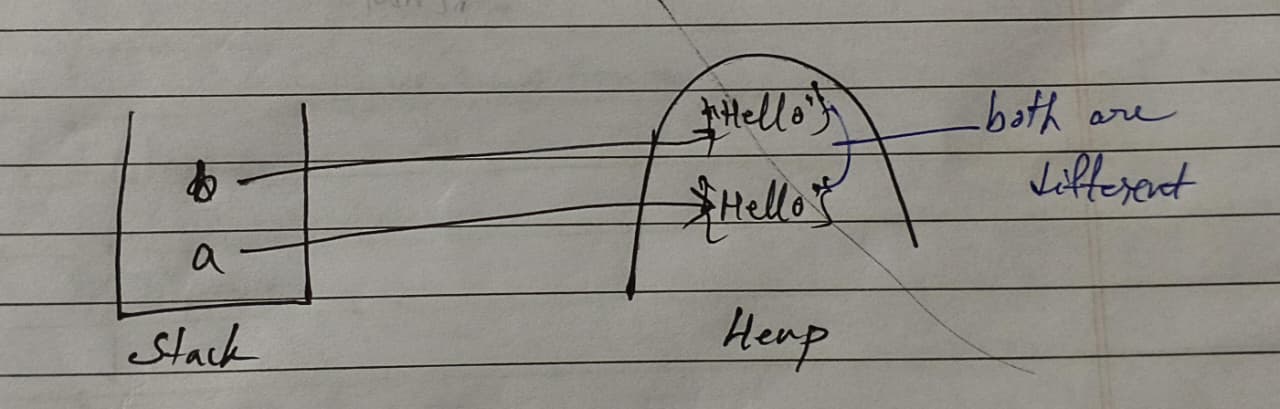
Different memory addresses.
To compare values:
a.equals(b) ----> True
C++:
Primitive types:
5 == 5 ---> true
Pointers
ptr1 == ptr2
compares addresses.
Go:
5 == 5 ----> true
Go allows equality only on comparable types.
Reference Equality
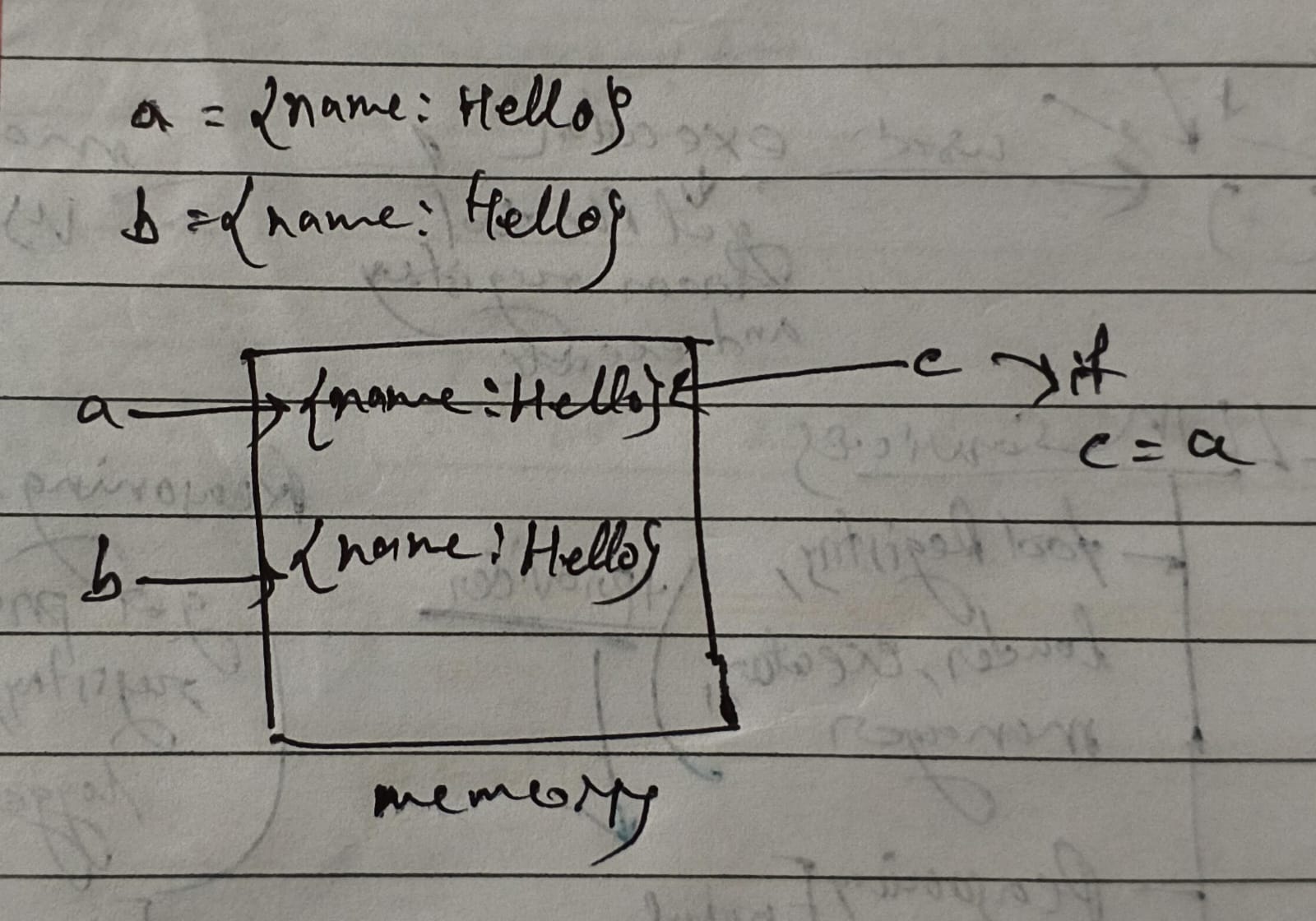
Two objects may contain exactly the same data, yet still be different objects. Because the objects are stored at different memory locations on the heap.
For an example in JavaScript:
const a = {name: "Hello"};
const b = {name: "Hello"};

a === b // false
The memory layout looks like this:
a -----> Object A

b -----> Object B
And if we do something like:
const c = a;
then in the memory it would be :
a ----\
         \
        Object A
         /
c ----/
3. ===
Only some languages have this operator.
JavaScript:
JavaScript already had ==, but because automatic type coercion often produced surprising results, === was introduced to provide predictable comparisons without implicit conversions.
In JS === means Strict Equality* , means there would be no type conversion.
Example
5 === "5" ----> false
because: number ≠ string
Example:
5 === 5 ----> true
Example:
false === 0 ----> false
Example:
null === undefined ----> false
Whereas
null == undefined ----> true
This is why almost every modern JavaScript style guide recommends using === by default.
TypeScript:
Exactly the same as JavaScript.
When to use each
Assignment
let score = 100;
Store a value.
Loose equality (JS only)
if (input == 1)
Useful when you intentionally want type conversion.
Example:
const id = "42";

if (id == 42)
Although this works, most teams prefer explicit conversion:
Number(id) === 42
This is clearer and avoids surprises.
Strict equality (JS/TS)
if (user.role === "admin")
Preferred because it checks both value and type.
Common beginner mistake
Writing:
if (age = 18)
This assigns 18 to age instead of comparing it.
Correct:
if (age === 18)
Comparison table
| Operator | Purpose | JavaScript | TypeScript | Python | Java | C++ | Go | Rust |
|---|---|---|---|---|---|---|---|---|
= | Assignment | ✅ | ✅ | ✅ | ✅ | ✅ | ✅ | ✅ |
== | Equality | Loose (type coercion) | Loose (type coercion) | Value equality | Value for primitives, reference equality for objects | Value (or address for pointers) | Value equality | Value equality |
=== | Strict equality | ✅ | ✅ | ❌ | ❌ | ❌ | ❌ | ❌ |
Comparison
| Feature | Loose Equality (==) | Strict Equality (===) |
|---|---|---|
| Type coercion | ✅ Yes | ❌ No |
| Compares values | ✅ Yes | ✅ Yes |
| Compares types | ❌ No | ✅ Yes |
| Recommended | Rarely | Yes |
*Notes:
Loose Equality (==)
The == operator compares two values after allowing type coercion.
If the operands have different types, JavaScript attempts to convert them to a common type before comparison.
Examples:
5 == "5"        // true
true == 1       // true
false == 0      // true
null == undefined // true
Advantages:
- Convenient in a few specific situations.
- Can reduce the need for manual conversions. Disadvantages:
- Automatic conversions can produce surprising results.
- May introduce subtle bugs.
- Makes code less predictable.
Because of these drawbacks, most JavaScript projects avoid ==.
Strict Equality (===)
The === operator compares both value and type.
No automatic type conversion is performed.
Examples:
5 === 5         // true
5 === "5"       // false
false === 0     // false
null === undefined // false
Strict equality provides more predictable behavior and is the recommended comparison operator in JavaScript and TypeScript.
#js#ts#python#memory#variables
149 views